
Schouten Software
How we built Image Annotation Studio
Schouten Software built Image Annotation Studio, a .NET web app for annotating photos, screenshots and technical illustrations.

Schouten Software built Image Annotation Studio, a browser-based .NET application for turning screenshots, photos and technical illustrations into clear visual instructions. It helps technical writers, support teams and trainers show exactly which part of an image they mean.
From a screenshot to a clear instruction
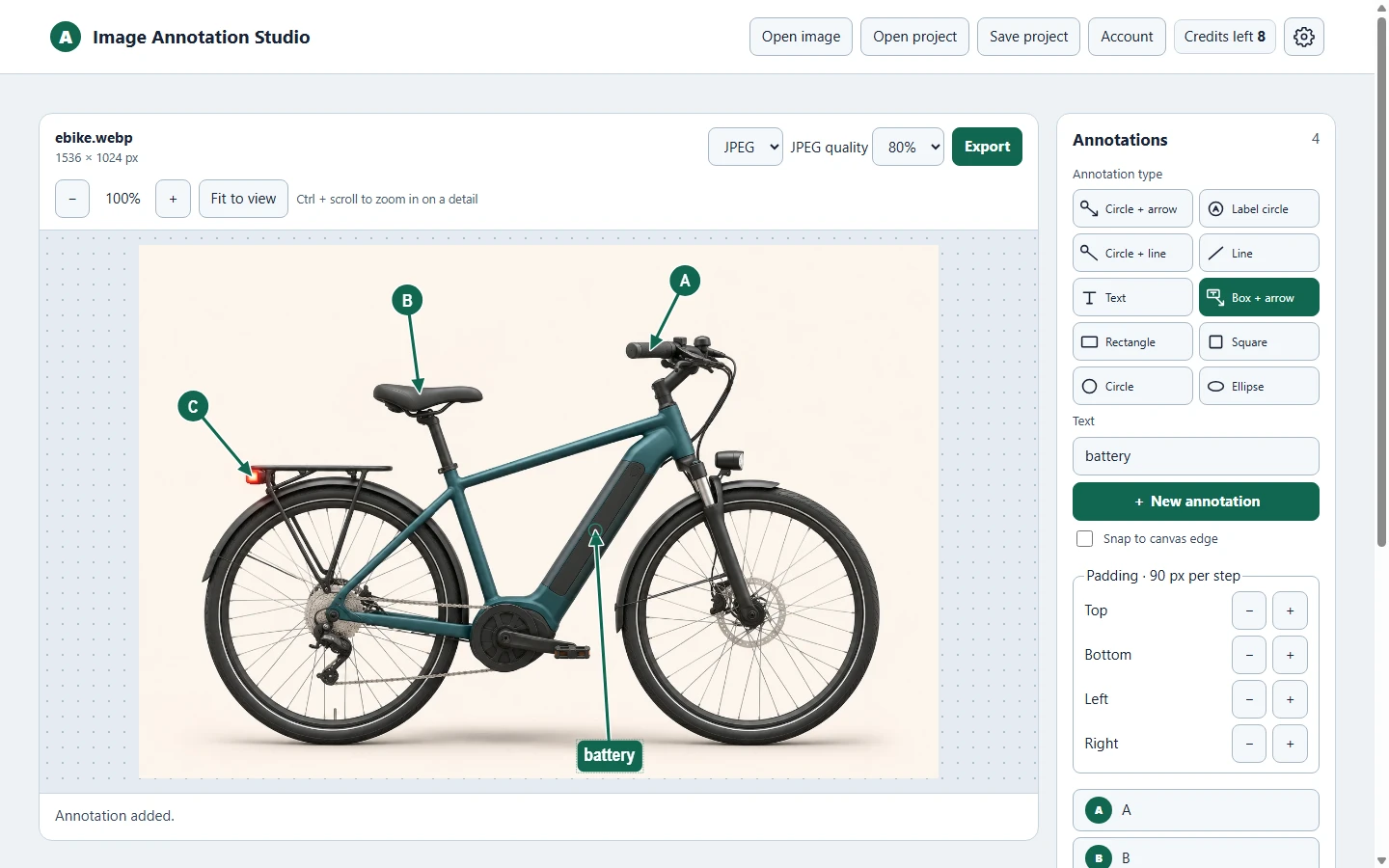
A circled letter can link a paragraph in a manual to a specific component. An arrow can show a customer which button to click. A short text box can add context directly to the image. The editor puts these tools together so you can make and revise callouts in the browser.
How the editor works
- Open a source image. Import a PNG, JPEG, WebP or supported SVG. Zoom in to work on a small detail or add white space around the image for labels.
- Mark the details. Add lettered or numbered callouts, a line, plain text, a text box with an arrow, or an outline shape. Choose a modern or classic style and adjust the colors, text contrast and white outline.
- Export or save your work. Download a JPEG, PNG or SVG. Save an editable XML project when you need to return to the image and revise the annotations later.
How we keep the annotations editable
We built the editor with an SVG overlay that keeps the labels, arrows and shapes separate from the original image while you work. The XML project saves the source image and the annotation positions together. When you export, the .NET application renders the finished image in the format you choose.
Watch the e-bike demo
This short demonstration opens a 3D e-bike illustration, marks the handlebar, saddle and rear light with A, B and C, and adds a text callout for the battery inside the frame. It shows the JPEG export and the finished image.
What stays sharp in an SVG export?
A watermark-free SVG export keeps the annotations as vectors. A photo or screenshot used as the background keeps its original pixel resolution, so its pixels may become visible as you zoom in. Supported vector artwork in an SVG source retains its vector detail. Exports with a watermark are rasterized.